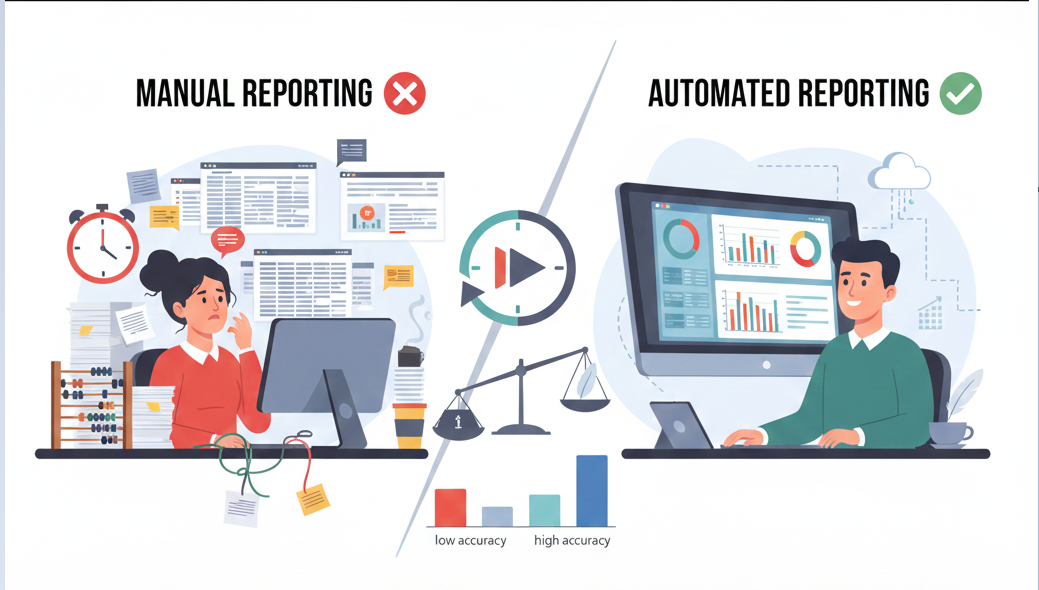


Manual vs Automated Reporting: Key Differences and Business Impact
Every business depends on data. Sales figures. Expenses. Performance numbers. Customer trends.
But here’s the real frustration most teams deal with every single week—reporting takes too much time, and the results arrive too late.
Someone pulls numbers from different tools.
Someone updates spreadsheets.
Someone double-checks formulas.
Hours disappear. Sometimes entire days.
And when the report finally lands in the inbox, the data already feels outdated. That’s when businesses start asking themselves whether manual reporting still makes sense, or if it’s time to move toward automated reporting.
At Vision Virtual Assist, we work closely with growing businesses facing this exact problem. What we see repeatedly is simple: reporting methods directly affect how fast and how confidently decisions are made.
Let’s walk through the real differences—clearly, honestly, and without fluff.
What Manual Reporting Looks Like in Day-to-Day Business
Manual reporting relies on people doing the work step by step. Data is collected, cleaned, and presented by hand.
In most businesses, this means:
- Exporting data from CRMs, accounting tools, or marketing platforms
- Copying numbers into Excel or Google Sheets
- Updating formulas manually
- Creating charts one at a time
In simple terms: manual reporting depends heavily on human effort to gather and prepare data.
It can work when data is small and teams are lean. But once the business grows, it starts to slow everything down.
How Automated Reporting Works in Real Life
Automated reporting changes the process completely. Instead of pulling data manually, systems are connected directly to data sources.
Once everything is set up, reports:
- Pull data automatically
- Refresh on a schedule or in real time
- Display insights through dashboards or reports
Put simply: automated reporting lets systems do the repetitive work, so people don’t have to.
This is why more businesses are shifting toward data management and reporting automation across departments.
Manual vs Automated Reporting: The Differences That Actually Matter
Here’s a straightforward comparison that shows why the shift is happening so fast.
| Area | Manual Reporting | Automated Reporting |
| Time Spent | High, every cycle | Low after setup |
| Accuracy | Prone to mistakes | Consistent and stable |
| Updates | Delayed | Real-time or scheduled |
| Growth Support | Limited | Easy to scale |
| Decision Speed | Slow | Much faster |
When you look at it this way, the business impact becomes obvious.
Why Manual Reporting Slows Down Decision-Making
Manual reporting often turns fresh data into old news.
A quick scenario:
A sales manager needs weekly performance numbers. Preparing the report takes two full days. By the time it’s reviewed, the team has already missed the chance to adjust strategy.
This delay affects:
- Sales planning
- Budget decisions
- Inventory tracking
- Team performance reviews
Instead of guiding action, reports become a summary of what already happened.
How Automated Reporting Speeds Things Up
With automated reporting, data is always ready.
Benefit: Immediate access to insights
Feature: Automatic data refresh and live dashboards
Outcome: Faster, more confident decisions
Managers no longer wait for reports to be prepared. They log in, check the dashboard, and move forward.
This is one of the strongest reasons businesses invest in automated business reporting.
Accuracy Problems That Come with Manual Reporting
Even careful teams make mistakes. A formula breaks. A row gets skipped. A number is copied into the wrong cell.
Research has shown that a large majority of spreadsheets contain some level of error. And those small errors can lead to big consequences:
- Incorrect forecasts
- Poor financial planning
- Misleading performance insights
Automated reporting reduces manual handling, which naturally lowers the risk of mistakes.
Better Data Management Through Automation
Manual reporting often goes hand in hand with messy data. Duplicate entries. Inconsistent formats. Old values mixed with new ones.
Automated systems help by:
- Cleaning and structuring data
- Standardizing formats
- Keeping everything in one place
At Vision Virtual Assist, we focus heavily on data management before automation. Clean data is what makes reports useful and trustworthy.
The Real Cost Difference Between Manual and Automated Reporting
Manual reporting may seem cheaper at first glance. But the hidden costs are real.
Manual reporting often leads to:
- High labour time
- Rework due to errors
- Slower decisions
- Missed opportunities
Automated reporting usually requires an upfront setup. But over time, it saves money by cutting repetitive work and improving efficiency.
Many businesses recover their automation investment simply by reclaiming employee time.
What Happens When Your Data Grows
Manual reporting struggles to keep up with growth.
More data means:
- More spreadsheets
- More manual checks
- More chances for errors
Automated reporting doesn’t break under pressure. Whether the dataset is small or massive, the process stays the same.
That’s why automated data reporting works especially well for growing companies.
Where Automated Reporting Delivers the Most Value
Automation proves its value quickly in areas like:
- Sales reporting: Live pipeline and revenue tracking
- Finance: Monthly, quarterly, and yearly dashboards
- Marketing: Campaign and channel performance
- Operations: KPI monitoring and workflow tracking
Teams stop chasing numbers and start focusing on improvement.
Why Businesses Work with Vision Virtual Assist
At Vision Virtual Assist, we don’t believe in complicated dashboards that nobody uses. We focus on clear, practical reporting systems.
Our process includes:
- Understanding your data sources
- Cleaning and organizing data
- Automating reports and dashboards
- Making insights easy to read and act on
The goal is always the same—help teams make better decisions with less effort.
The Business Impact After Switching to Automation
Businesses that move from manual to automated reporting usually notice changes quickly:
- Faster decisions
- Fewer data errors
- Better visibility across teams
- More confidence in numbers
Data stops feeling overwhelming and starts becoming useful.
Key Takeaway: Manual vs Automated Reporting
Manual reporting depends on people and time.
Automated reporting depends on systems and structure.
As businesses grow, relying on manual processes becomes harder to justify. Automation isn’t about replacing people—it’s about letting them focus on what matters.
Final Thoughts and Clear Next Step
If your team spends more time building reports than using them, something needs to change.
Automated reporting helps businesses move faster, reduce errors, and make decisions based on real-time data.
At Vision Virtual Assist, we help businesses simplify data management and implement reporting automation that supports real growth.
Ready to move away from manual reporting and gain clear insights?
Connect with Vision Virtual Assist today and start building a smarter reporting system.